Context
Using LiteLLM as a gateway in front of a python client using Langfuse causes a “Split Tracing” issue. Two disjointed traces are created: one from the Python client and a separate, unlinked trace, from LiteLLM proxy.
Also, while the client-side trace correctly identifies which Prompt Version is used with it, the Gateway trace lacks this context.
Goal
Unify these traces and, crucially, force LiteLLM to recognize the specific Langfuse Prompt version using a custom metadata helper.
Baseline Setup
Start with a standard setup:
-
Langfuse project with a prompt named
test-prompt.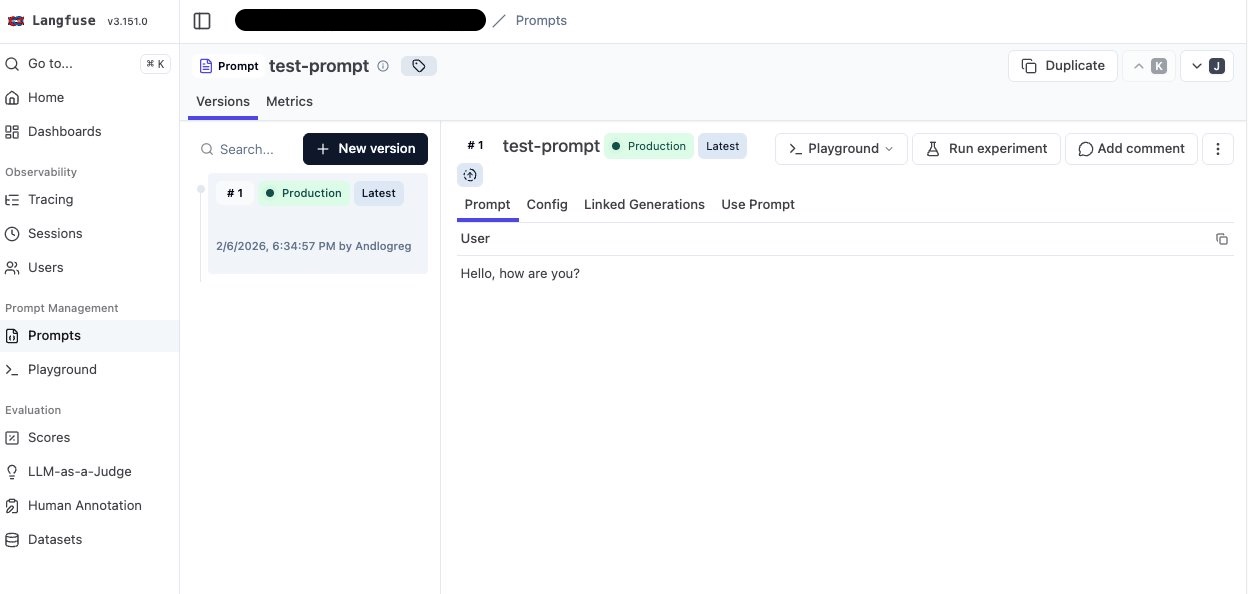
-
Ollama instance running.
-
LiteLLM gateway running on
http://localhost:4000.
model_list:
  - model_name: llama3.2:1b
    litellm_params:
      model: ollama/llama3.2:1b
      api_base: os.environ/OLLAMA_BASE_URL
api_key: ""- Basic python snippet to grab the prompt, compile it and call chat completion:
import openai
from langfuse import get_client

# Initialize variables
api_key = "sk-1234"                     # litellm api key
base_url = "http://localhost:4000"      # litellm gateway
model = "llama3.2:1b"                   # model name
prompt_name = "test-prompt"             # prompt name

# Initialize clients
client = openai.OpenAI(api_key=api_key, base_url=base_url)
langfuse = get_client()

# Get prompt from Langfuse
prompt = langfuse.get_prompt(prompt_name)
messages = prompt.compile()
print("=== MESSAGES ===")
print(messages)

# Call the model
response = client.chat.completions.create(
    model=model,
    stream=False,
    messages=messages
)
print("=== RESPONSE ===")
print(response.choices[0].message.content)
Output:
 ➜ uv run langfuse_with_litellm_gateway.py
=== MESSAGES ===
[{'role': 'user', 'content': 'Hello, how are you?'}]
=== RESPONSE ===
I'm doing well, thank you for asking. How can I help you today?
Step 1: Enable Tracing (The “Split Tracing” Problem)
Enable Litellm gateway native integration with Langfuse
Update config.yaml to enable the Langfuse callback:
model_list:
  - model_name: llama3.2:1b
    litellm_params:
      model: ollama/llama3.2:1b
      api_base: os.environ/OLLAMA_BASE_URL
      api_key: ""
litellm_settings:
  success_callback: ["langfuse"]
And set the langfuse related env variables:
LANGFUSE_SECRET_KEY=...
LANGFUSE_PUBLIC_KEY=...
LANGFUSE_HOST=...
Add Python Instrumentation
We switch from the standard OpenAI client to the langfuse.openai wrapper and wrap the call in a span.
from langfuse.openai import openai  # ← replace import
from langfuse import get_client

# Setup
api_key = "sk-1234"
base_url = "http://localhost:4000"
model = "llama3.2:1b"
prompt_name = "test-prompt"

client = openai.OpenAI(api_key=api_key, base_url=base_url)
langfuse = get_client()

# Fetch Prompt
prompt = langfuse.get_prompt(prompt_name)
messages = prompt.compile()
print("=== MESSAGES ===")
print(messages)

# Execution
with langfuse.start_as_current_observation(   # ← create span
    as_type="span",
    name="run-test",
    input=messages,
) as span:
    response = client.chat.completions.create(
        model=model,
        stream=False,
        messages=messages,
        name="llm-response",   # ← specify name
    )

    print("=== RESPONSE ===")
    print(response.choices[0].message.content)
    span.update(output=response.choices[0].message.content)

langfuse.flush()
The Result: ❌ Two distinct traces. One from Python, one from LiteLLM:

Step 2: Unifying the Trace ID
To fix the split trace, we need to pass the Trace ID and Observation ID from the client to LiteLLM. We do this using the extra_body parameter in the completion call.
# ... inside the completion call ...
        name="llm-response",
        extra_body={   # ← add extra_body
            "metadata": {
                "existing_trace_id": langfuse.get_current_trace_id(),
                "parent_observation_id": langfuse.get_current_observation_id(),
                "generation_name": "litellm-llm-response"
            }
        },
# ...
The Result: ✅ Both observations now appear under a single Trace ID:
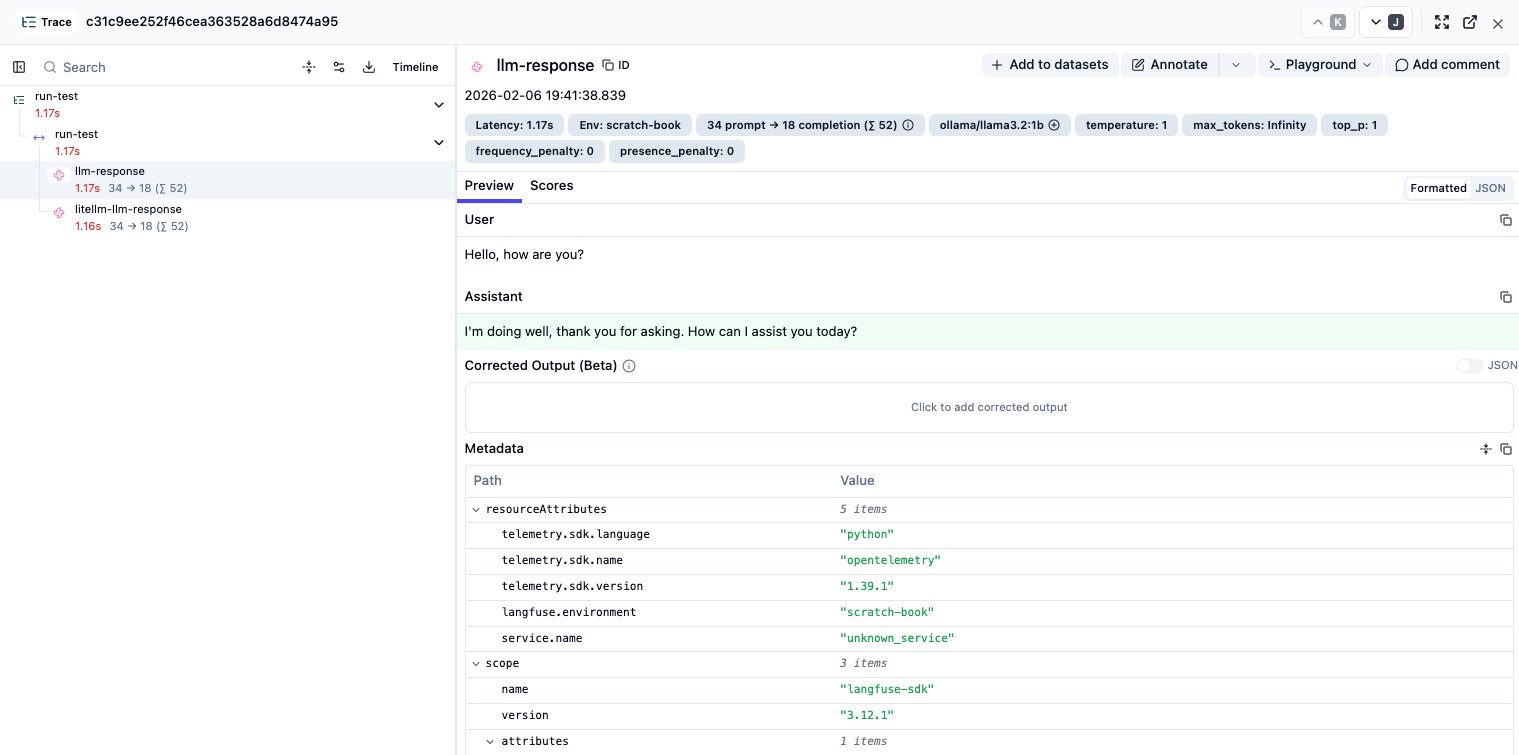
But the prompt version is not linked yet…
Step 3: The Missing Link (Prompt Versioning)
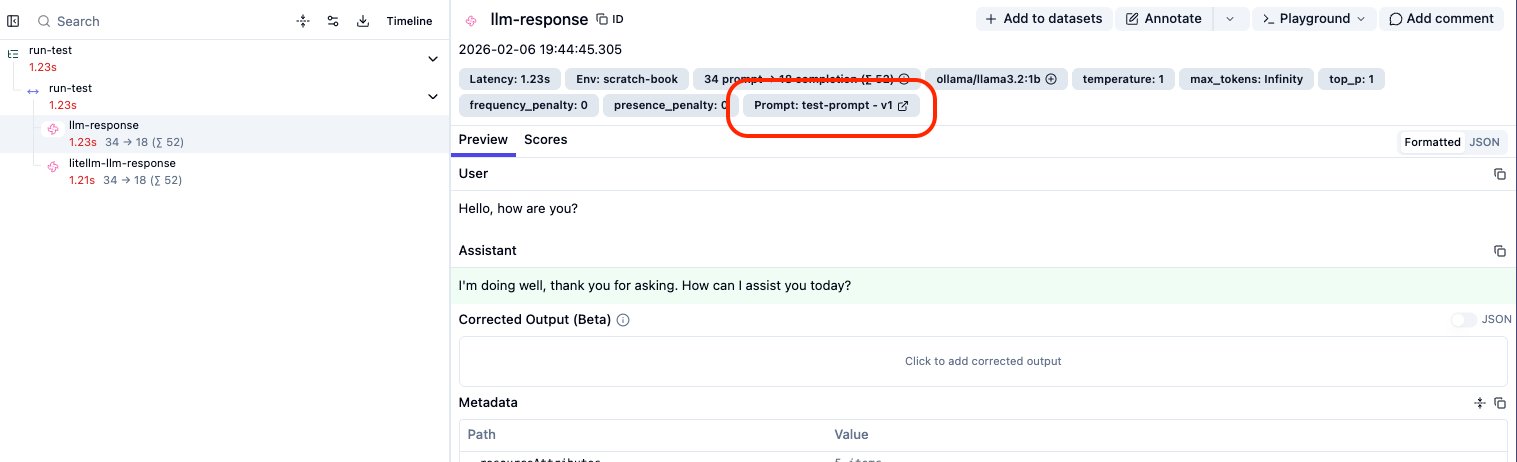
We can easily link the prompt on the Python side by adding langfuse_prompt=prompt to the create call.
response = client.chat.completions.create(
    # ... previous args ...
    langfuse_prompt=prompt, # ← Add this!
)
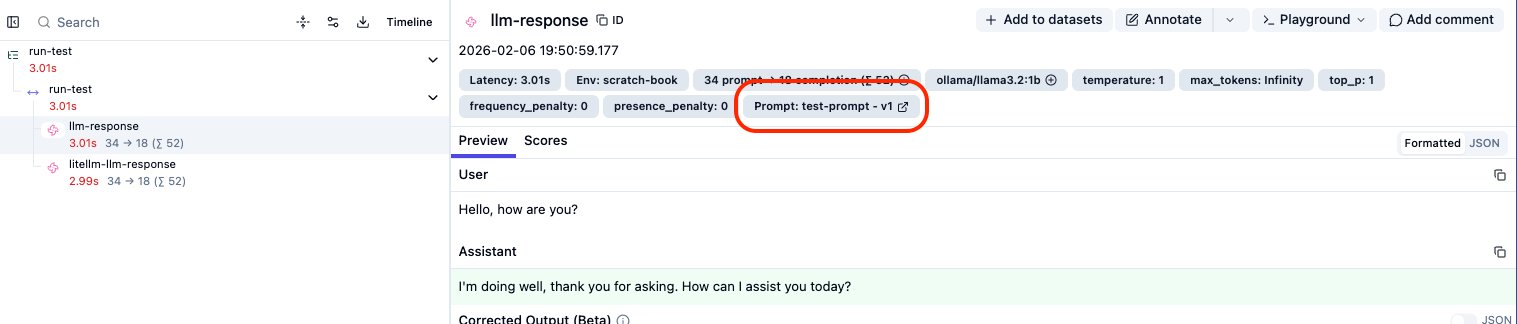
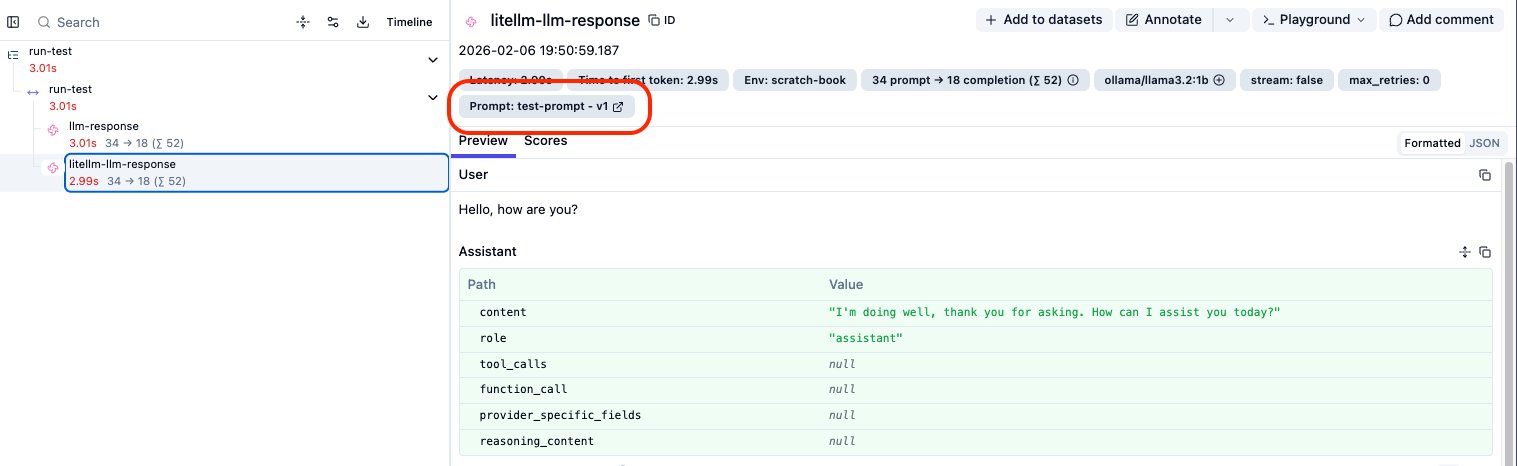
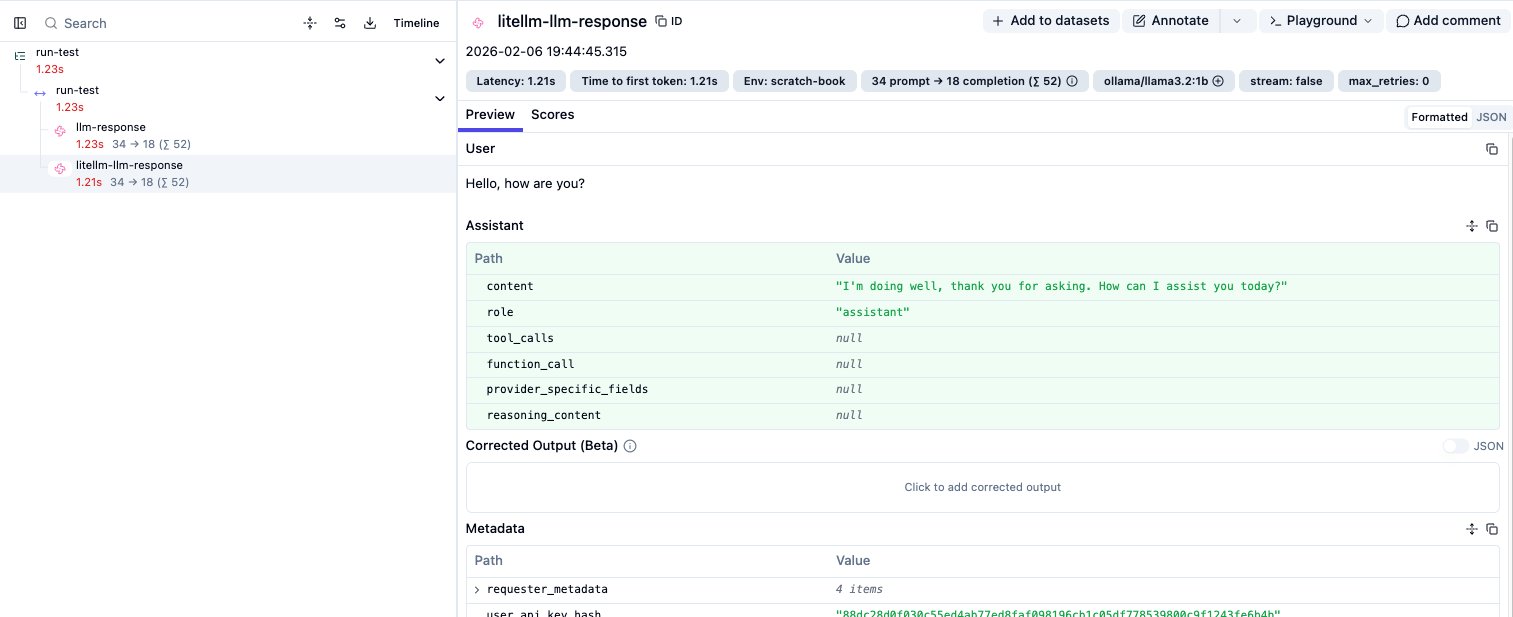
Looking at the dashboard, we have a partial victory:
- Python Observation: ✅ Correctly links to
test-prompt-v1
- LiteLLM Observation: ❌ Does not show the prompt link.
Step 4: Forcing the Link on LiteLLM (The Fix)
I could not find a native way to automatically propagate the prompt object to LiteLLM yet. To workaround it, we must manually serialize the prompt into a metadata dictionary that LiteLLM can ingest.
I wrote a helper function prompt_to_metadata_dict to handle this serialization:
from langfuse.model import Prompt_Chat

def prompt_to_metadata_dict(prompt):
    prompt = Prompt_Chat(
        prompt=[
            {
                "role": message["role"],
                "content": message["content"],
                "type": "chatmessage",
            }
            for message in prompt.prompt
        ],
        name=prompt.name,
        version=prompt.version,
        config=prompt.config,
        labels=prompt.labels,
        tags=prompt.tags,
        commit_message=prompt.commit_message,
    )
    return prompt.dict()
We then inject this into the extra_body metadata:
# ... inside the completion call ...
    extra_body={
        "metadata": {
            "existing_trace_id": langfuse.get_current_trace_id(),
            "parent_observation_id": langfuse.get_current_observation_id(),
            "generation_name": "litellm-llm-response",
            # The Fix:
            "prompt": prompt_to_metadata_dict(prompt),
        }
    },
# ...
The Final Result: ✅ Complete observability. The prompt version is now linked to both the client-side span and the Gateway generation.