The Goal
Reducing power draw in a homelab environment is a game of small gains. Discovering that my NVIDIA RTX 4090 was idling at 25–30W under Linux (compared to just 10W on Windows) prompted a deep dive into NVIDIA’s power management parameters.
With the steps below I was able to reduce idle power draw by ~65% on Linux.
The Problem: High Idle Draw
My homelab GPU machine, Helios, runs an RTX 4090 with a fairly complex stack: Proxmox → Ubuntu VM (GPU Passthrough) → Kubernetes → NVIDIA GPU Operator (I may write about this setup in the future…).
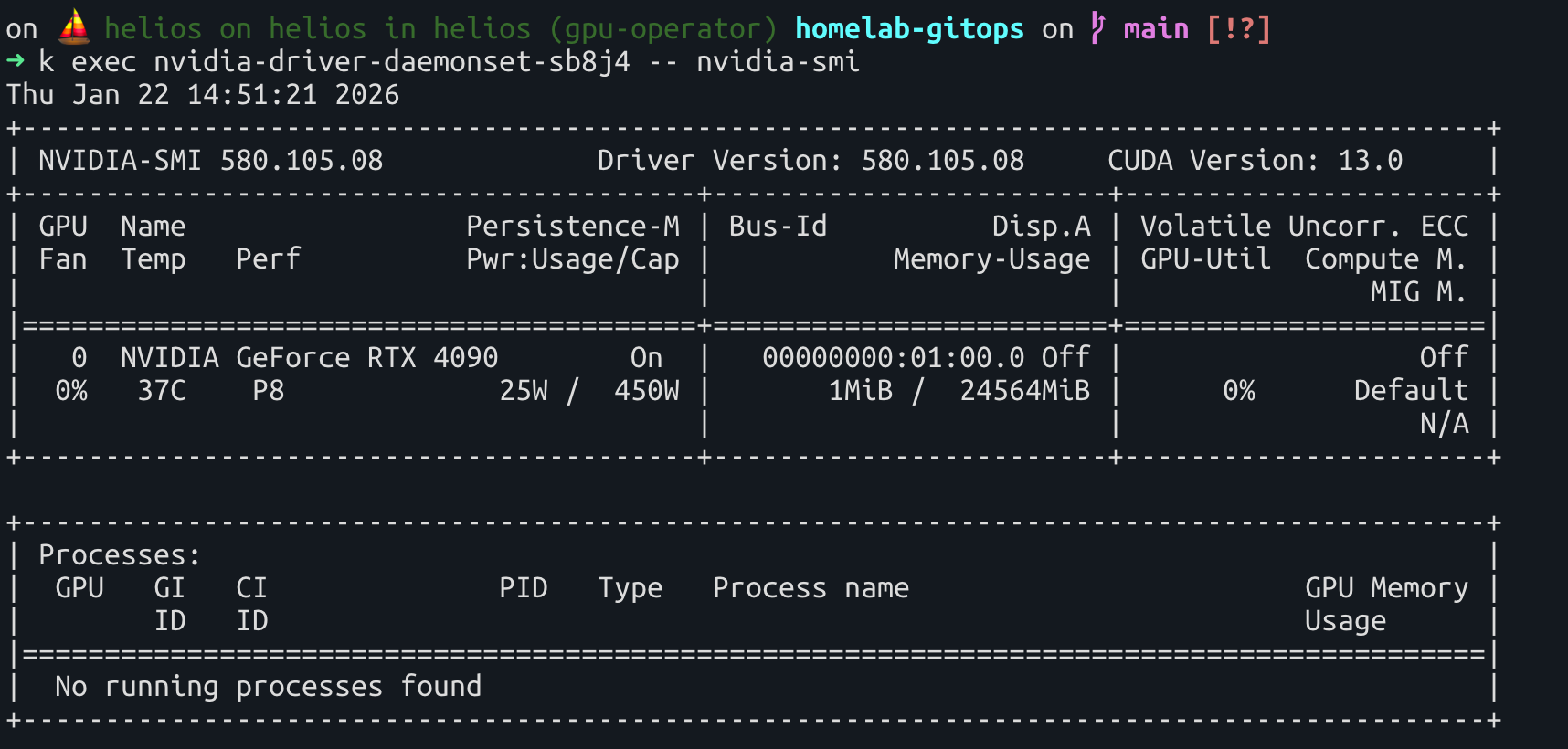
While the setup was stable, I noticed the GPU initially consumed ~25W while sitting completely idle with no active workloads. For a machine designed to run 24/7, this overhead is significant:
The Benchmark: Windows vs. Linux
To verify if this was a hardware limitation or a configuration issue, I tested the card in a Windows 10 VM with the same passthrough setup. The results were clear: Windows managed to bring the idle consumption down to 7–11W:
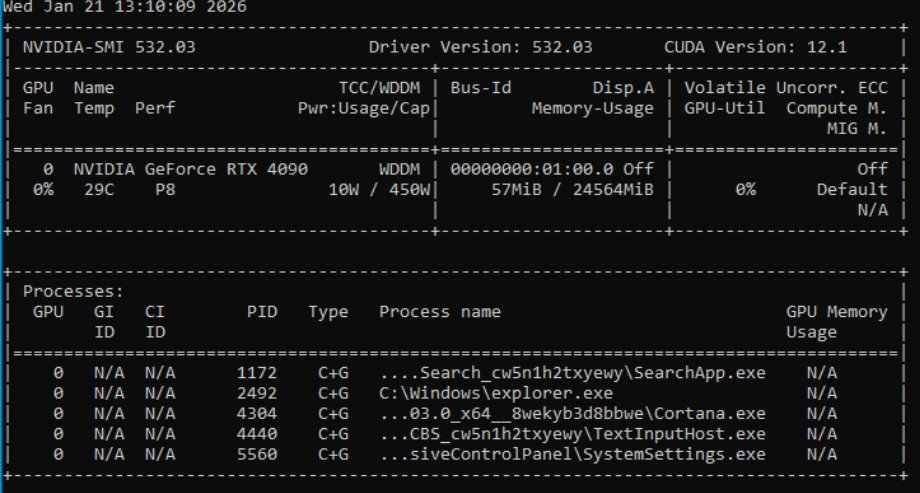
This confirmed that higher efficiency was achievable. The limitation resided in the default Linux driver configuration.
While a 15–20W difference seems negligible, in a 24/7 homelab environment, this efficiency gap represents unnecessary heat and energy waste.
The Solution: Kernel Module Optimization
After researching driver power management, I identified three specific kernel parameters that allow the NVIDIA driver to utilize deeper power-saving states.
1. The 3 Essential Parameters
NVreg_PreserveVideoMemoryAllocations=1: Ensures VRAM contents are saved during power state transitions.NVreg_EnableS0ixPowerManagement=1: Enables support for modern standby power states.NVreg_EnableGpuFirmware=1: Directs the driver to use the GSP (GPU System Processor) firmware for power management tasks.
2. Implementation via NVIDIA GPU Operator
Because I use the NVIDIA GPU Operator to manage drivers within Kubernetes, these parameters must be passed via a ConfigMap.
apiVersion: v1
kind: ConfigMap
metadata:
  name: kernel-module-params
data:
  nvidia.conf: |
    NVreg_PreserveVideoMemoryAllocations=1
    NVreg_EnableS0ixPowerManagement=1
    NVreg_EnableGpuFirmware=1
3. Deployment
Apply the kernel-module-params ConfigMap and update your Helm installation to reference it:
helm install --wait --generate-name \
    -n gpu-operator --create-namespace \
    nvidia/gpu-operator \
    ... <OTHER_PARAMETERS> ... \
    --set driver.kernelModuleConfig.name="kernel-module-params"
Results
After the driver restarted with the new parameters, the idle power consumption dropped to ~9W.
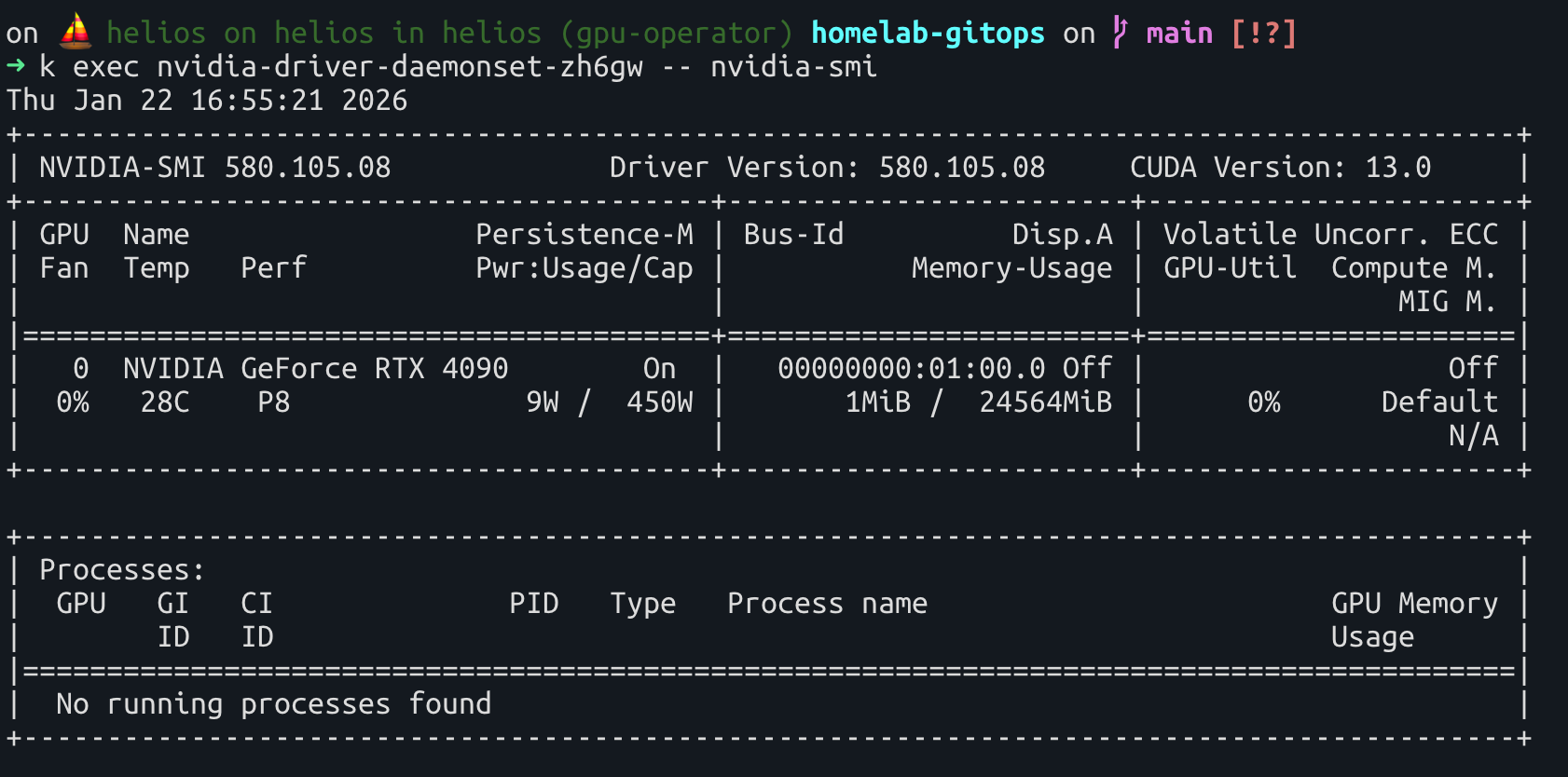
By implementing these three parameters, I reduced the idle power draw by ~65%, matching the efficiency seen in the Windows environment. 👌